Delete AkariPets account

By deleting your account, you will permanently lose all your data, including history, settings and associated content. You will not be able to access any services or features linked to your account, and once the deletion is confirmed, there will be no way to recover your account.
Guide to delete your account
-
1
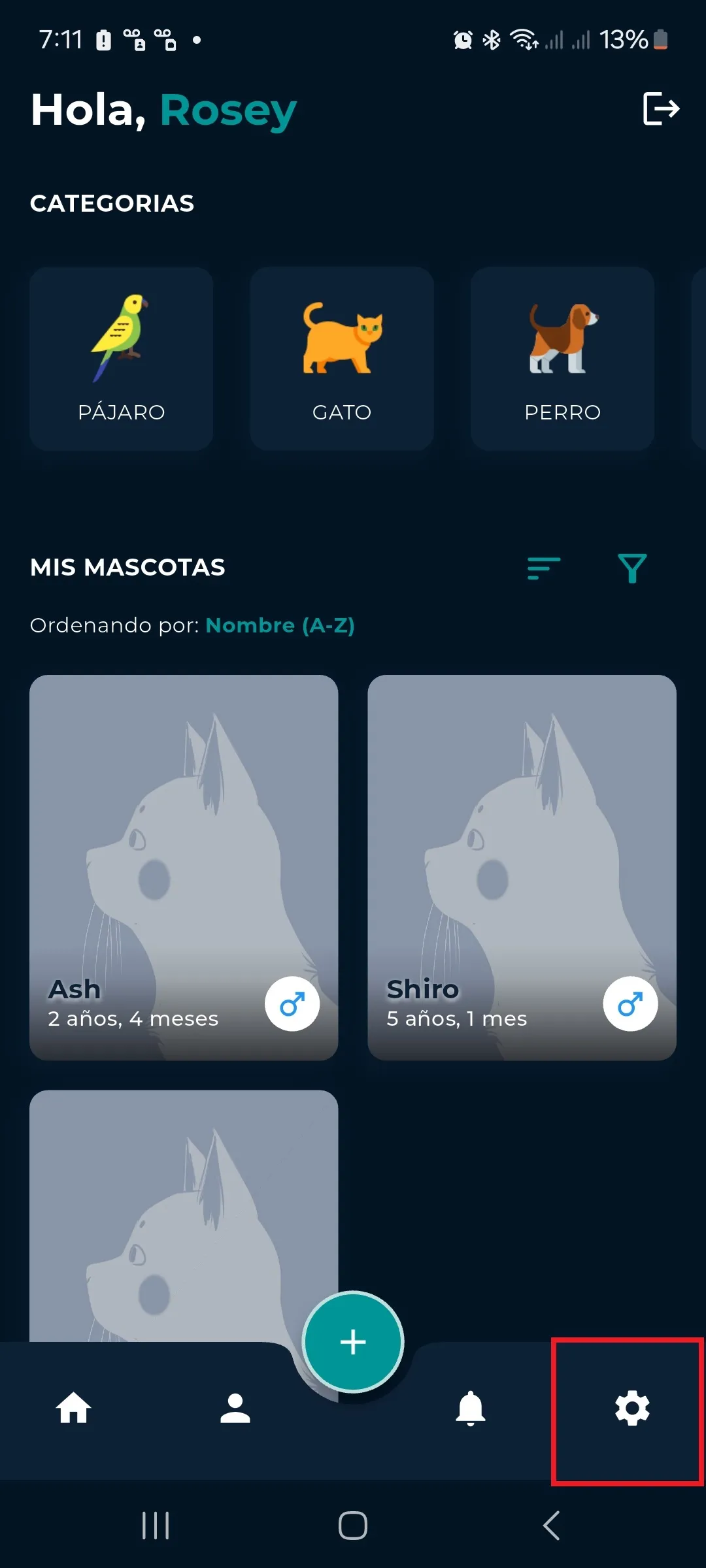
Enter the settings section by pressing the nut icon in the bottom bar.
-
2
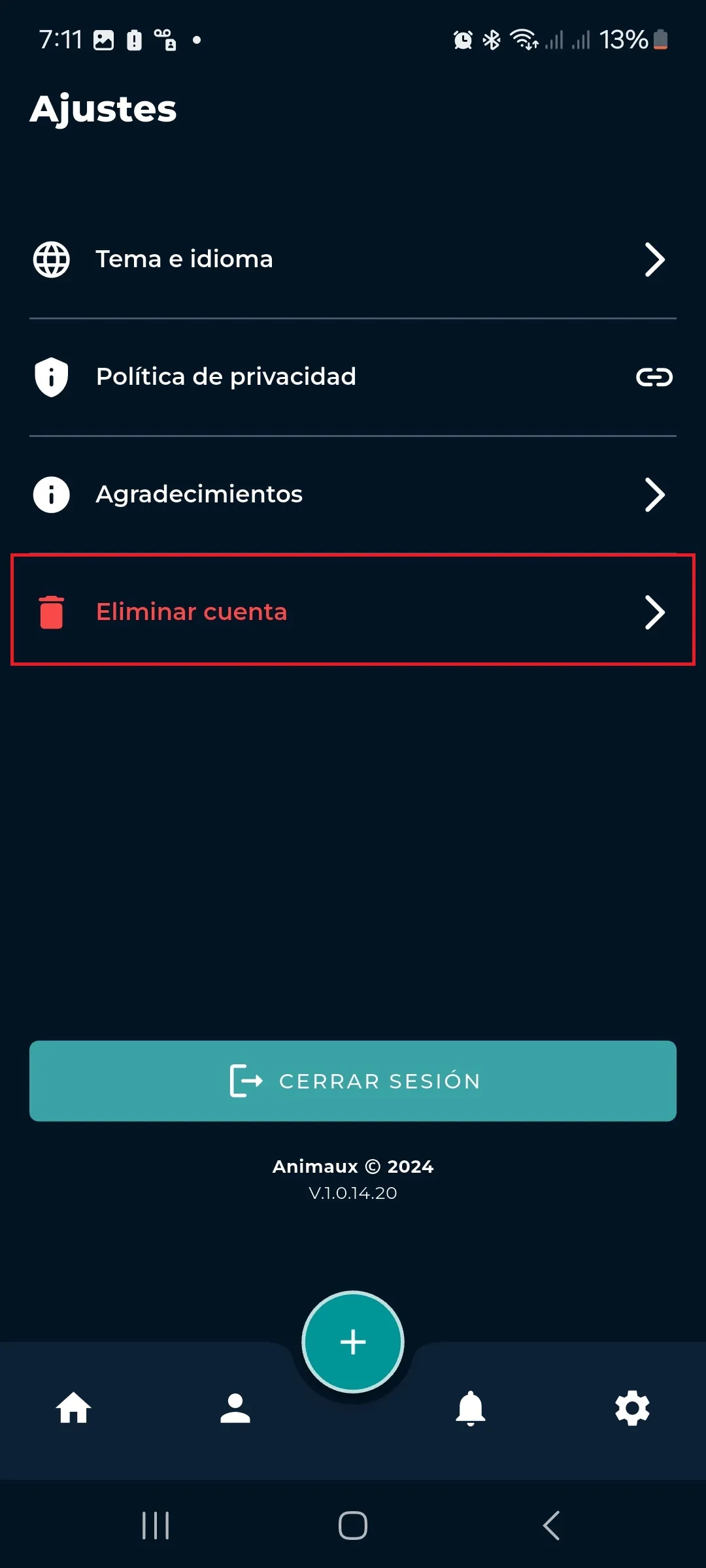
Tap on “Delete account”.
-
3
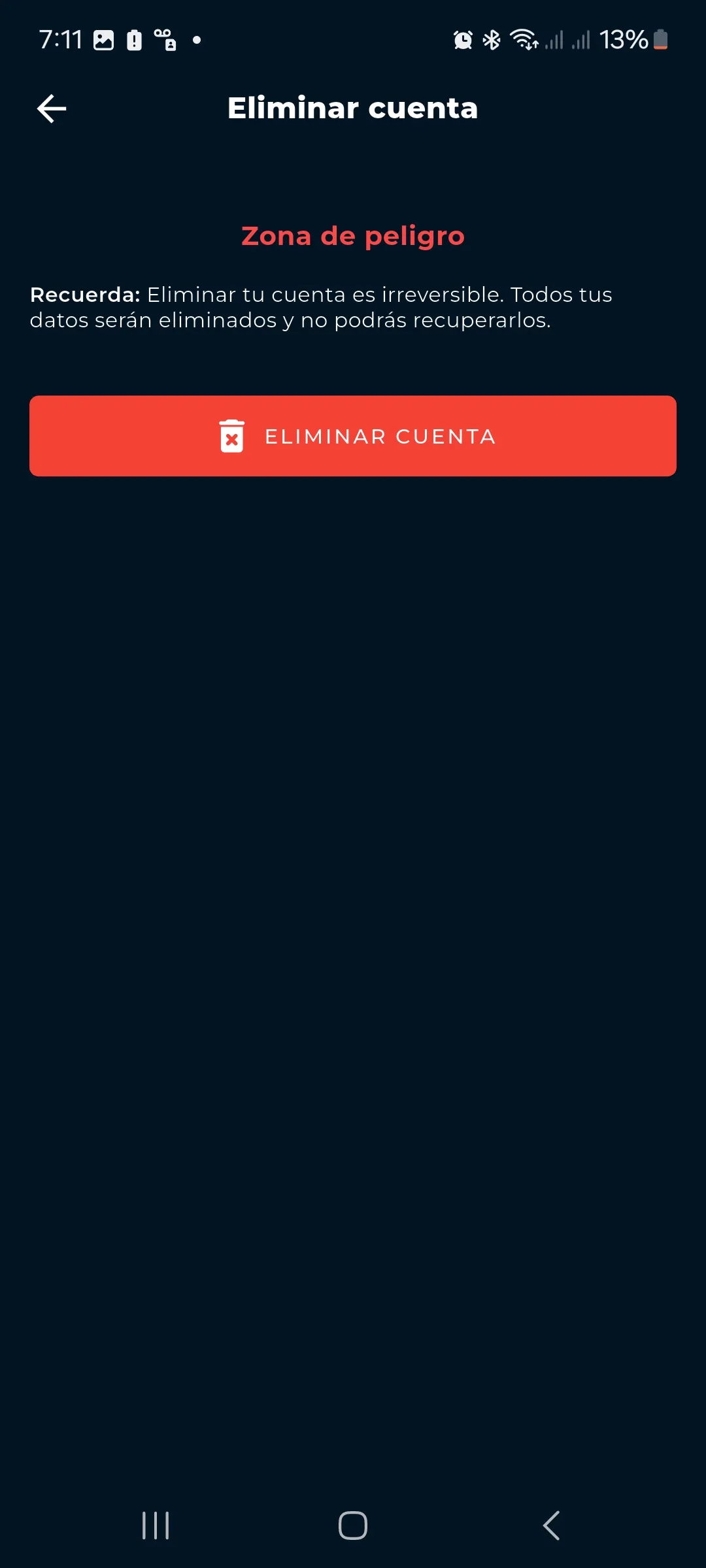
Tap on the “Delete account” button.
-
4
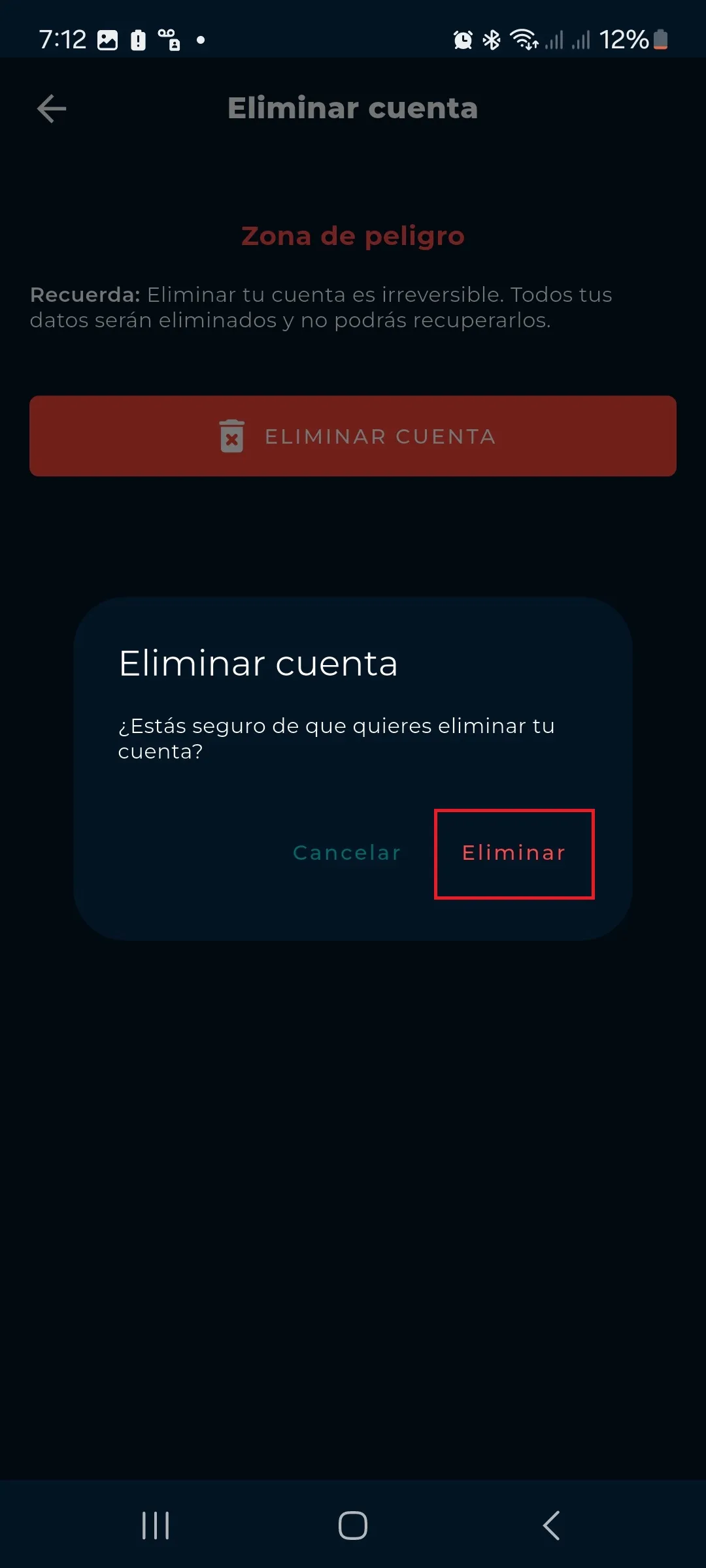
Tap on "Delete" to confirm your account deletion.
-
5
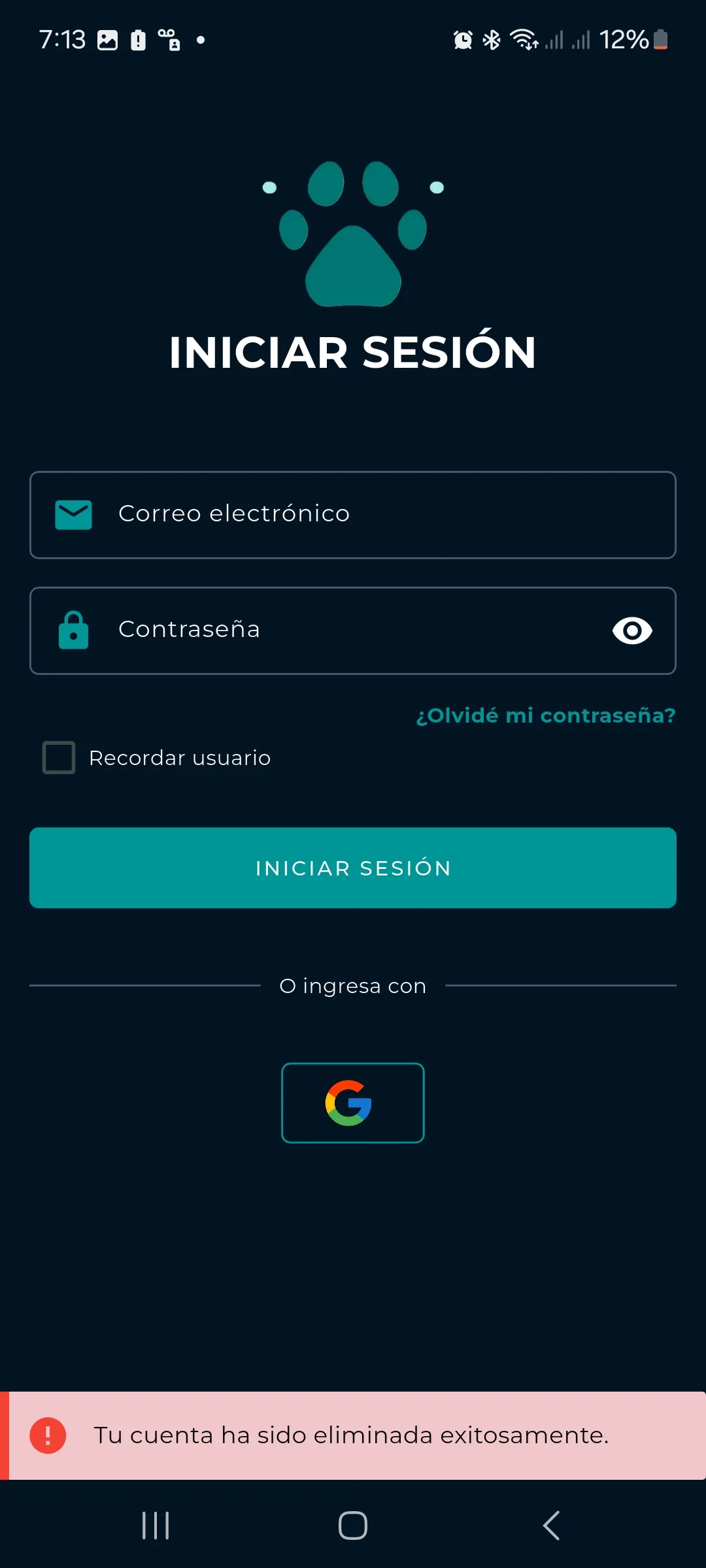
A message will be displayed at the bottom of the screen indicating that your account has been successfully deleted.